
A WordPress landing page can fail for two simple reasons:
- It does not match what the visitor expected from the ad or search result.
- It is slow, confusing, or hard to trust.
The good news is you can fix most conversion problems with structure, clarity, and clean measurement.
This guide gives you a practical checklist for two goals at the same time:
- SEO structure so the page can rank (or at least support your organic growth).
- Paid Ads setup so you can buy traffic, track results, and improve ROI.
It is written for real WordPress work, not theory.
First, decide what kind of landing page you are building
Before you touch design or tracking, pick one type. Mixing goals is the fastest way to drop conversions.
Type A: Lead generation landing page
Goal: form submit, call, WhatsApp click, booking, quote request.
Type B: Sales landing page
Goal: checkout purchase, add to cart, start trial, pay invoice.
Type C: “Bridge” page
Goal: pre-qualify, then send to a product page, pricing page, or booking flow.
For SEO and ads, Type A and B are easiest to measure. Bridge pages can work, but tracking and drop-offs are harder.
The conversion triangle: match, speed, trust
If you only remember one thing, remember this:
- Match: The landing page headline and content must match the ad keyword, ad copy, and intent.
- Speed and UX: Slow pages lose paid clicks and can hurt organic visibility over time because user experience matters.
- Trust: People do not convert if they feel risk.
Google Ads also evaluates your “landing page experience” as part of Quality Score, along with expected CTR and ad relevance. Improving landing page usefulness and relevance can help performance.
Now let’s build the page using checklists.
Part 1: SEO structure checklist for a landing page
Many people think landing pages are only for ads and should ignore SEO. That is a mistake.
Even if the page itself does not rank, good SEO structure helps:
- Better clarity for users
- Better internal linking
- Easier indexing control
- Better performance and page experience signals
1) One page, one intent, one primary query
Pick one primary query and a small set of close variants.
Example:
- Primary: “WordPress SEO audit service.”
- Variants: “SEO audit for WordPress”, “WordPress technical SEO audit.”
Do not try to target “SEO audit”, “web design”, “hosting”, and “marketing” on the same page. Create separate pages and route traffic correctly.
2) URL, title tag, and H1 must be aligned
Keep it simple:
- URL: short, readable, no random IDs
Example:/wordpress-seo-audit/ - Title tag: primary query first, benefit second
Example:WordPress SEO Audit: Fix Technical Issues and Grow Organic Traffic - H1: very close to the title tag, but written for humans
Your H1 is the “ad match anchor”. When a paid visitor lands, they should feel “Yes, I am in the right place” in 2 seconds.
3) Use clean heading structure (H2 and H3)
A strong pattern for landing pages:
- H1: Clear promise
- H2: Who it is for
- H2: What you get (deliverables)
- H2: Why trust you (proof)
- H2: Pricing or packages (if relevant)
- H2: FAQ (very important)
- H2: CTA repeated
Keep headings short. Avoid fancy words. Make scanning easy.
4) Add an FAQ section that matches real objections
FAQ is not filler. It is conversion content and SEO support.
Good FAQ questions:
- “How long does it take?”
- “What do you need access to?”
- “Do you guarantee rankings?”
- “What happens after I submit the form?”
- “Do you work with Rank Math / Yoast?”
- “Is this safe for my live site?”
If you answer these well, you reduce fear and increase conversion rate.
5) Control indexing intentionally (index, noindex, canonical)
Not every landing page should be indexed.
Use index if:
- It has unique value
- It can earn links
- It is not duplicated across many campaign pages
Use noindex if:
- You create many near-duplicate pages for different keywords, locations, or ad groups
- The page is temporary, seasonal, or only for ads
If you have similar pages, use canonical correctly. Google’s guidance is to use rel="canonical" to consolidate duplicates and avoid conflicting canonical signals.
Practical tip for WordPress:
- If you use Rank Math or Yoast, you can set noindex and canonical per page.
6) Add internal links that make sense
Even for a landing page, internal links help users and SEO.
Add links like:
- “See pricing” (anchor to pricing section)
- “Read case studies” (link to a case study page)
- “See what is included” (anchor)
- “Read about our process” (link to a process page)
Do not add 30 external links. Landing pages should stay focused. A few helpful internal links are enough.
7) Page experience basics: mobile, intrusive elements, and Core Web Vitals
Google uses page experience-related signals and recommends good Core Web Vitals for success in Search.
For landing pages, this matters even more because:
- Paid visitors often come from mobile
- Conversion rate drops fast when the page feels “heavy.”
Use Google Search Console’s Core Web Vitals report to see real user performance data.
Quick wins in WordPress:
- Compress large hero images
- Remove heavy sliders if not needed
- Avoid too many pop-up scripts
- Use a fast caching plugin and good hosting
- Keep fonts minimal
Part 2: Landing page conversion structure (what to put on the page)
This is the structure I use when I want “ad traffic friendly” pages that also stay clean for SEO.
1) Headline that converts
A simple and strong formula:
Outcome + time or speed + who it is for
Examples:
- “Get More Leads From Your WordPress Site With a Fast SEO Audit”
- “Landing Pages Built for Google Ads: Faster, Cleaner, Higher Converting”
Then add:
- 2 to 4 short bullets (benefits, not features)
- 1 clear CTA button
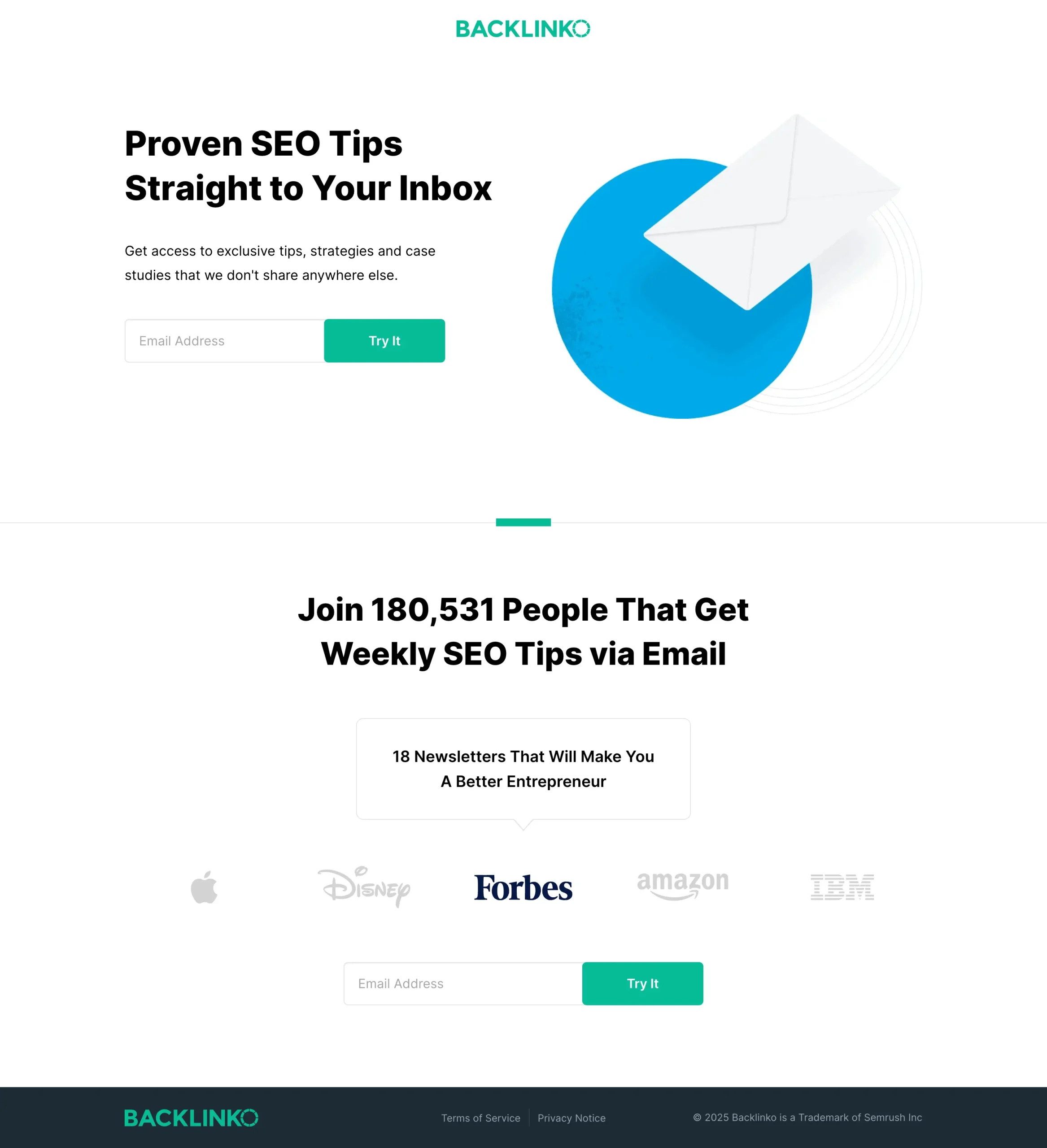
- 1 trust element (rating, client logos, guarantee statement, or security note)
2) One primary CTA, one secondary CTA
Primary CTA examples:
- “Get a Quote”
- “Book a Call”
- “Start Free Trial”
- “Request Audit”
Secondary CTA examples:
- “See Pricing”
- “View Examples”
- “What’s Included”
Do not add 6 buttons in the hero. Choice overload is real.
3) Form best practices for WordPress (simple but powerful)
For lead gen, the form is your product.
Rules that usually improve conversion:
- Ask only what you need to qualify
- Use a 2-step form if you must ask more fields
- Show privacy text near the submit button
- Support autofill on mobile
A good default:
- Name
- Website URL
- One dropdown (budget or service type)
- One optional message field
4) Proof section that does not feel fake
Avoid generic lines like “We are the best”.
Use proof like:
- Screenshots of real outcomes (blur sensitive data if needed)
- Short case summaries with numbers
- Specific client types (“local services”, “ecommerce”, “SaaS”)
- Process evidence (“audit includes Core Web Vitals review and indexing checks”)
If you do not have case studies yet, use:
- “What you get” deliverables
- Transparent process steps
- Risk reversal (clear refund terms, if you can offer it)
5) Risk reversal that fits your business
Examples:
- “If we miss the deadline, you get 20% off.”
- “If the audit report is not useful, we will revise it once for free.”
- “Cancel anytime” for subscriptions.
Keep it honest. Never promise rankings.
Part 3: Paid Ads setup checklist for WordPress landing pages
If tracking is wrong, you will optimize the wrong thing. That is how ad budgets get wasted.
This section focuses on a clean, modern setup using Google Ads, Google tag, GA4, and Google Tag Manager.
Step 1: Define conversions before you install anything
Write down:
- Primary conversion (the one that makes money)
- Secondary conversions (micro conversions)
Examples for lead gen:
- Primary:
form_submit - Secondary:
click_call,click_whatsapp,view_pricing,scroll_75
Examples for ecommerce:
- Primary:
purchase - Secondary:
add_to_cart,begin_checkout
This matters because Google Ads needs clear conversion signals for optimization.
Step 2: Install measurement in the cleanest way you can
You have two common paths:
Option A: Use Google Tag Manager (recommended for flexibility)
- Easier to add events without editing theme files
- Easier to debug
- Cleaner long term
Option B: Use a WordPress plugin for Google tag and GA4
- Faster setup
- Less manual work
- Can become messy if you add many events
If you plan to run serious paid ads, GTM is usually worth it.
Step 3: Set up Google Ads web conversions (the official way)
Google Ads guidance for setting up web conversions includes activating measurement with a Google tag and measuring conversions with event snippets when needed.
Practical approach:
- Create conversion actions in Google Ads for your primary goal.
- Implement them through GTM or Google tag.
Step 4: Always handle click attribution properly (Conversion Linker / Google tag)
If you use GTM, you will often use a Conversion Linker tag so that click data is stored correctly.
Google’s Tag Manager help docs show how to create a Conversion Linker tag and usually trigger it on All Pages.
Important note from Google: if your container loads a Google tag on every page, you may not need a separate conversion linker tag.
Simple rule:
- If you are unsure, follow Google’s current guidance for your setup and verify in Tag Assistant and test conversions.
Step 5: Track the correct “thank you” moment (not button clicks)
Many WordPress forms fire button clicks even when validation fails. That creates fake conversions.
Better tracking methods:
- Track a real “thank you” page view
- Track a confirmed form event from the plugin
- Track a backend success event if available
If you use Gravity Forms, Contact Form 7, WPForms, Fluent Forms, etc., each has a reliable event method. Choose the one that only fires on success.
Step 6: Add Enhanced Conversions if you collect leads
Enhanced conversions can improve measurement accuracy using user-provided data (like email) when configured correctly and in line with Google’s requirements.
Google’s help doc shows how to turn on enhanced conversions and choose a setup method (like Google tag).
Important:
- Only do this if you understand what data is sent and you comply with the policies and consent requirements for your country and audience.
Step 7: Connect Google Ads and GA4 for better reporting
Even if you optimize inside Google Ads, GA4 helps you understand:
- Engagement
- Page paths
- Drop-off points
- Device issues
GA4 collection docs live here.
Basic minimum:
- Google Ads linked to GA4
- Auto-tagging enabled in Google Ads
- Key events marked properly in GA4 (if you use GA4 events)
Step 8: Build a landing page for specific audiences
If you run ads, do not treat all visitors the same.
Useful audiences:
- Visited the landing page but did not convert
- Visited pricing section (or pricing page)
- Spent more than X seconds on the page
This is where GTM events become very useful. You can run remarketing with smarter intent signals.
Part 4: The “SEO + Ads” landing page QA checklist (copy-paste)
Use this before you launch any campaign.
A) Message match checklist
- The landing page headline repeats the core promise from the ad.
- The first 100 words mention the same product or service as the ad group keyword theme.
- The CTA text matches the offer (book, quote, trial, buy).
- The page removes distractions (no unrelated menus if not needed).
B) SEO structure checklist
- Title tag is unique and includes the primary query.
- H1 is clear and matches intent.
- Headings are logical (H2, H3).
- FAQ answers real objections.
- Internal links exist where useful.
- Indexing choice is intentional (index or noindex).
- Canonical is correct if similar pages exist.
C) UX and speed checklist
- Mobile layout is clean and readable.
- Fonts are not tiny on mobile.
- No intrusive popups block the main CTA.
- Images are compressed.
- Core Web Vitals are not ignored.
D) Tracking checklist (Paid Ads)
- Google Ads conversion action created.
- Conversion fires only on real success (thank you page or success event).
- Conversion Linker or Google tag click attribution handled.
- Test conversions in preview mode and live mode.
- Enhanced conversions enabled if you use leads and have consent.
- GA4 linked and events are visible.
Part 5: Common mistakes that kill conversions (and how to fix them)
Mistake 1: Using the homepage as the landing page: Build a dedicated landing page per offer. Homepages are for browsing, not converting.
Mistake 2: Too many CTAs and too many links: One primary CTA, one secondary CTA. Keep the page focused.
Mistake 3: Tracking “click submit” instead of “lead created”: Track the thank you page or success event only.
Mistake 4: Slow hero section with a huge image: Compress, use modern formats, and avoid heavy sliders. Speed affects user experience, which Google recommends improving.
Mistake 5: Creating 20 near-duplicate landing pages for every keyword: consolidate pages and use ad groups plus ad copy for targeting. If you must have variants, manage indexing and canonicals carefully.
Conclusion
A high-converting WordPress landing page is not about tricks. It is about alignment and clarity.
- Build a page that matches intent and removes distractions.
- Use strong SEO structure so the page is understandable, indexable when it should be, and technically clean.
- Set up Google Ads tracking correctly so you can trust your data.
- Improve page experience and Core Web Vitals because users feel speed, and Google recommends good user experience signals.