
SEO can feel confusing because people explain it as 100 small “SEO tricks”. I do it the opposite way.
I use one simple framework that covers everything:
- Make your site crawlable and indexable
- Publish content that matches real search intent
- Build trust and authority over time
- Measure results and keep improving
If you keep those ideas in your head, SEO becomes easier. In this guide, I’m using just a few big sections, but you will still cover the full SEO world: Technical SEO, On-page SEO, content, internal linking, Off-page SEO, and measurement.
1) SEO Basics: What SEO Is (and what it is not)
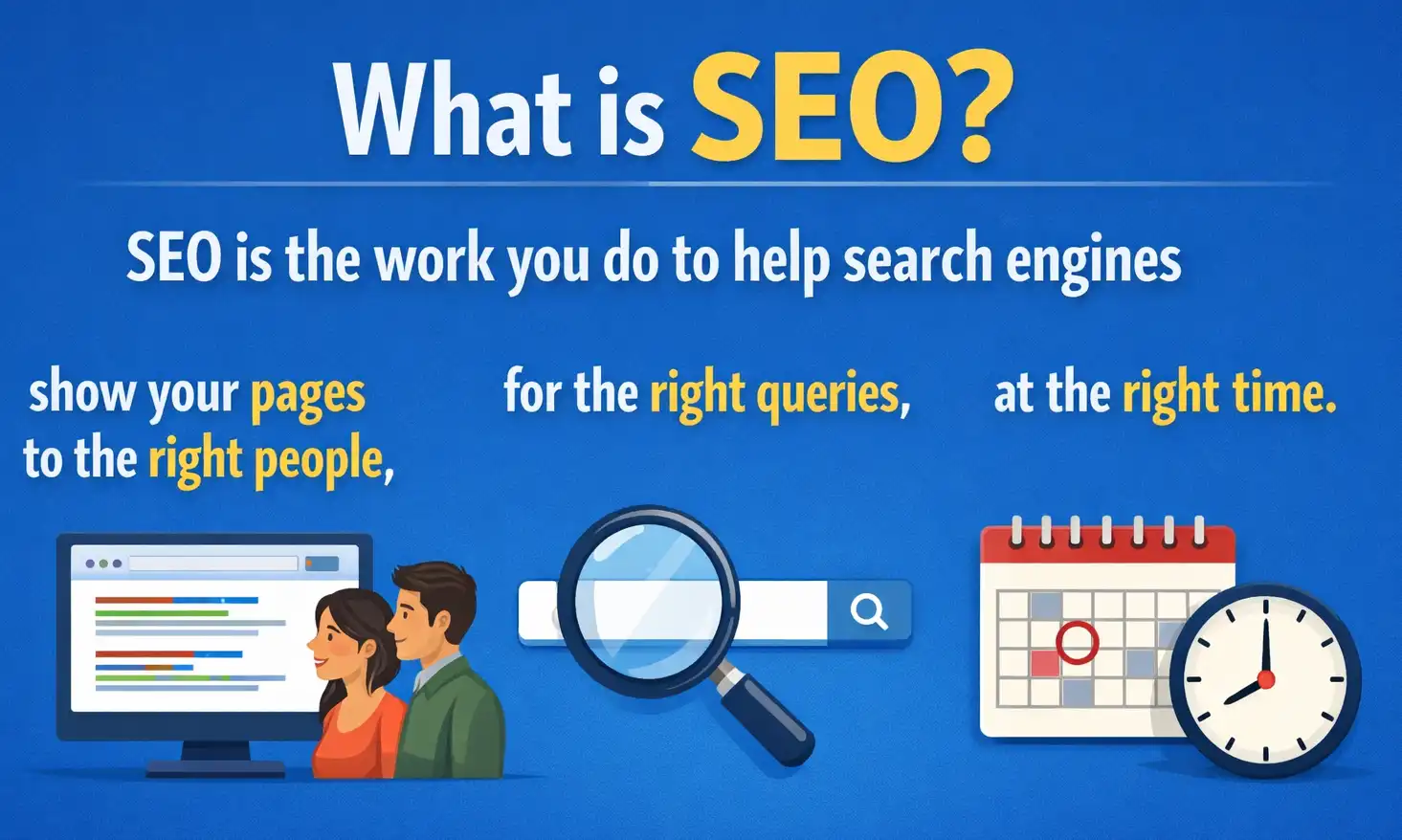
SEO is the work you do to help search engines show your pages to the right people, for the right queries, at the right time.
It is not magic. It is not “add keywords and rank”. And it is not only about Google. SEO means understanding how search engines work, then building a site that makes their job easy.
When I explain SEO, I break it into 3 parts:
- Technical SEO: Can search engines access, understand, and store your pages?
- Content SEO (On-page SEO): Does your page answer the query better than alternatives?
- Authority (Off-page SEO): Do other trusted sites and people “vouch” for you?
If one part is weak, SEO feels “stuck”.
A simple example (so you can see the framework)
Let’s say you publish a page about “WordPress landing pages that convert”.
- If Google can’t crawl it because of
noindexor a broken server, you get no traffic. - If it is indexed but your content is generic, you might rank on page 5.
- If it is good but nobody links to it and your site is new, rankings can take longer.
Same page, same topic, different outcomes depending on the 3 parts.
What “good SEO” usually looks like
For a normal website, good SEO looks like this:
- New pages get crawled regularly
- Important pages get indexed
- Pages rank for keywords that match their topic and intent
- The site keeps gaining more impressions, then clicks, then conversions
- Old content is updated and keeps working
Google also repeats the core idea: make content helpful and make a good page experience. Their “Creating helpful, reliable, people-first content” guidance is worth reading.
2) How Search Engines Work
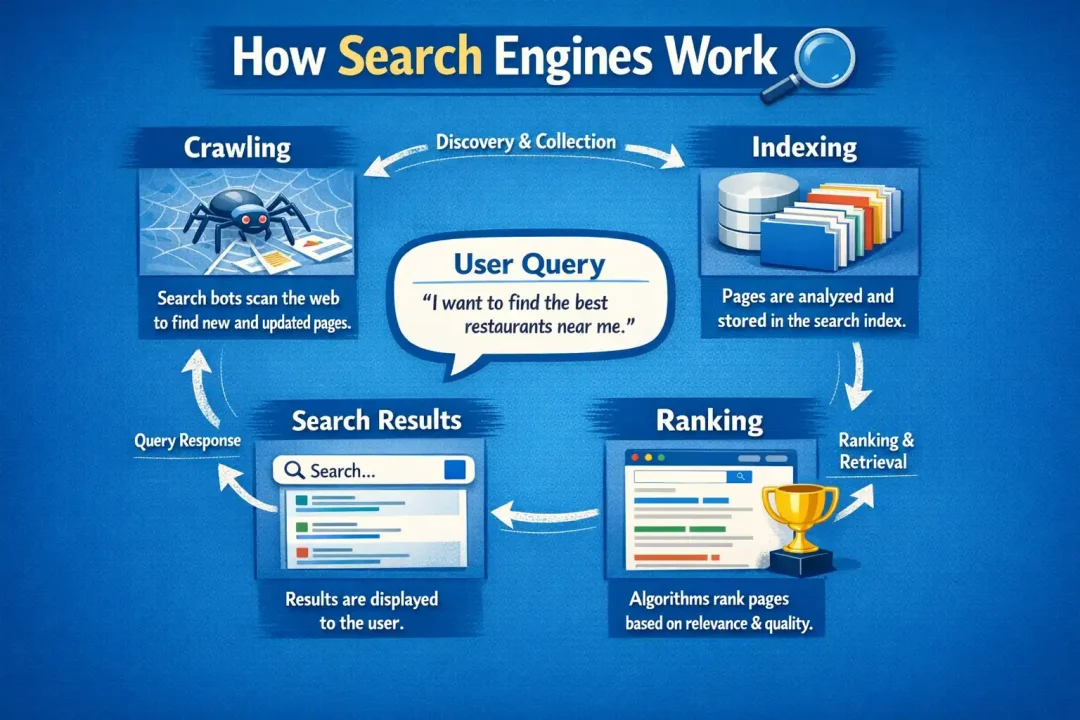
If you understand the pipeline, you can debug SEO problems fast.
Most search engines follow a flow like this:
- Crawl: a bot requests your URLs
- Render: sometimes it loads the page like a browser (especially if JS is involved)
- Index: it stores the page in its systems
- Rank: it chooses when and where to show the page
Google’s docs explain this at a high level here: How Google Search works
Crawl: why your pages are not discovered
Common reasons:
- No internal links to new pages (orphan pages)
- Blocking in
robots.txt - Very slow or unstable hosting
- Too many parameter URLs creating “infinite” crawling paths
- Soft 404 pages (pages that look like “not found” but return 200)
Good internal linking is a crawl strategy. It is not only “SEO juice”.
Index: why “crawled” is not the same as “indexed”
Many site owners panic because Search Console shows “Crawled, currently not indexed”.
That status often means: Google saw the page, but it decided it is not valuable enough, or it is too similar to something else, or it is not important yet.
Common reasons:
- Thin content
- Duplicate or near-duplicate pages
- Wrong canonical (or confusing canonicals)
- Low internal link importance
- Pages created automatically at scale (tags, filters, archives)
Rank: what decides who wins
Ranking is where people overcomplicate things.
At a practical level, ranking is mostly:
- Query intent match
- Content quality and usefulness
- Topical relevance
- Authority and trust
- Good page experience (especially on mobile)
- Clean technical signals (canonical, structured data, etc.)
3) On-Page + Content SEO
If Technical SEO is your foundation, content is the building.
This section is where most rankings are won, because it directly affects relevance and usefulness.
Start with intent, not keywords
Keyword research is not only “search volume”. It is mostly about understanding what people want.
When I pick a topic, I ask:
- Are they looking for a definition, a comparison, a tutorial, or a tool?
- Do they want a fast answer or a deep guide?
- Are they in learning mode or buying mode?
A simple rule that helps a lot:
- Informational intent: “how”, “what”, “why”, “examples”, “guide.”
- Commercial intent: “best”, “top”, “vs”, “review”, “pricing.”
- Transactional intent: “buy”, “discount”, “near me”, “download.”
Then I match the page type:
- Blog post for “how to”
- Comparison page for “X vs Y”
- Landing page for “service” and “product”
- Tool page for calculators and templates
Write for scanning first, then depth
Most people scan. Even if your content is great, they need to see the structure quickly.
My structure inside a page is usually:
- A short intro (2 to 4 short paragraphs)
- A clear promise of what the page covers
- A quick “answer” section (for featured snippet chances)
- Then the full guide, with examples
Google also encourages helpful content that satisfies the user. This ties to snippet and “answer engine” style queries too. Featured snippets are not guaranteed, but good structure helps.
Titles, headings, and internal sections
On-page basics still matter:
- A strong title that matches the query
- One clear H1 (usually the page title)
- H2 headings that map to sub-questions
- Short paragraphs
- Lists where it helps scanning
I avoid stuffing. I use normal language, but I keep the topic clear.
Internal linking (one of the most underrated SEO levers)
Internal links help with:
- discovery (crawl)
- importance signals
- topical clusters
- user navigation
What I do in practice:
- Every new post links to 2 to 5 older related posts
- Every “hub” page links to the best supporting pages
- I use descriptive anchor text, not “click here”
- I link early, not only at the end
Google confirms internal links help discovery and understanding of relationships.
Content refresh strategy (update, merge, delete)
Not every page deserves to stay.
My rule:
- If it gets impressions but low clicks, I improve the title, intro, structure, and alignment with intent.
- If it ranks, but the content is outdated, I update and republish.
- If I have 3 weak pages that overlap, I merge them into 1 strong page and 301 redirect the rest.
- If a page is useless and has no value, I remove it and return a proper status (sometimes 410).
For redirects, Google’s guidance is useful: Google: Redirects and Google Search
4) Technical SEO (make the site easy to crawl and fast)
Technical SEO sounds scary, but it is basically “remove technical confusion”.
I focus on a few core areas.
Indexing controls (the biggest source of accidental SEO issues)
These are the common controls:
robots.txtblocks crawlingNoindexblocks indexing- Canonicals control which URL is the “main” version
- XML sitemaps help discovery
Good references:
- Google: robots.txt specification and testing
- Google: Canonicalization
- Google: Build and submit a sitemap
Common WordPress mistakes I see:
- A staging site accidentally indexed
- Tag pages are generating thousands of thin URLs
- Multiple sitemap plugins are fighting each other
- Canonical tags are wrong because of pagination, filters, or custom templates
Site architecture (especially important for bigger sites)
Good architecture usually means:
- Important pages are within 3 clicks from the homepage
- Categories are meaningful, not “dumping grounds”
- Tags are limited and purposeful (or disabled if they create thin pages)
- Filter pages are controlled (no index bloat)
If you run an aggregator or directory, this matters a lot because filters can explode into millions of URLs.
Performance and Core Web Vitals (focus on the few big wins)
Performance helps users first. It can also help SEO indirectly.
If I need to prioritize, I usually look at:
- LCP (largest content element) is fast
- Mobile is usable and stable
- Images are sized correctly and compressed
- Caching is working
- Too many scripts are not blocking rendering
For WordPress, my most common fixes are:
- Fix slow hosting or slow TTFB
- Reduce heavy plugins
- Add proper caching
- Use a CDN for static assets if traffic is global
- Lazy-load below the fold images, but not the hero image
Structured data (Schema) basics
Schema does not “boost rankings” by itself, but it can unlock rich results and better understanding.
I keep it simple:
- Article or BlogPosting for blog posts
- BreadcrumbList for breadcrumbs
- Organization and Website basic markup
- FAQ only if it is real FAQ content (and still allowed for your type)
Google’s structured data docs are the main reference: Google Search Central: Structured data
Logs and server health (advanced, but powerful)
If you are advanced, server logs can show:
- What Googlebot is crawling
- Crawl rate spikes
- Wasted crawling on junk URLs
- Status code issues
You do not always need this, but it’s a great debugging tool when Search Console is confusing.
5) Off-Page SEO + Measurement (authority + proving it works)
Off-page SEO has one big idea: the web is made of links and mentions.
Search engines still use links as a trust and discovery signal. Not every link matters, but good links can change the game.
What a “good link” usually is
In real life, a good link tends to be:
- From a relevant site in your topic area
- Placed in real content, not a random footer
- Earned because your page is useful
- Surrounded by related text
What I avoid:
- Buying links
- Spammy blog comments
- Low-quality directories with no editorial review
Google’s link spam guidance is worth knowing so you do not waste time or take risk.
Practical link earning ideas that work for normal sites
If you are not a big brand, you can still earn links. Here are methods I’ve seen work consistently:
- Publish a tool (calculator, template, checklist)
- Create a “best resources” page that is genuinely curated
- Write a unique case study with real data
- Build partnerships in your niche and do guest content on trusted sites
- Make a statistics page (updated yearly) and become a reference
If you run a WordPress blog, simple assets like “migration checklist”, “Core Web Vitals troubleshooting list”, or “SEO audit template” can attract links naturally.
Measuring SEO (how I know if it is working)
I measure SEO in layers.
Layer 1: Visibility
- Impressions
- Average position (with context)
- Number of queries and pages getting impressions
Layer 2: Traffic
- Clicks from search
- Landing pages that bring traffic
- CTR changes after updates
Layer 3: Outcomes
- Newsletter signups
- Leads
- Sales
- Engagement that matches your goals
For most sites, Google Search Console is the main tool. If someone is new to SEO, I always start here: Google Search Console
A simple weekly SEO workflow (that fits real life)
This is a workflow I can realistically do without spending my whole life on SEO.
Weekly
- Check Search Console for new issues and indexing changes
- Update 1 existing post that already gets impressions
- Publish 1 useful piece of content or improve an important landing page
- Add internal links from new content to older pages
Monthly
- Review your top 10 pages and improve conversion paths
- Find pages that cannibalize and merge them
- Improve site speed and technical issues that keep repeating
- Do 1 link earning push (reach out, partnerships, PR)
The priority order when things feel stuck
If your SEO is not moving, I follow this order:
- Fix crawl and index problems first
- Improve content quality and intent match
- Improve internal linking and site structure
- Work on authority and links
- Optimize performance and snippets
This order prevents the common mistake: people chase backlinks while the site is not indexable, or they publish 100 posts while the architecture is broken.
Conclusion
If you remember only one thing from this guide, remember the framework:
- Make the site easy to crawl and index
- Write content that matches real intent and is genuinely helpful
- Build trust with authority signals over time
- Measure, learn, and repeat with a simple workflow
SEO is not a single tactic. It is a system. When you keep your system clean, SEO becomes predictable: improvements lead to better crawling, better indexing, better rankings, and better results.